The Anticype Cardex.
Permanent preferences, entourage and stay notes: a structured memory to recognise every client, even when your team changes.
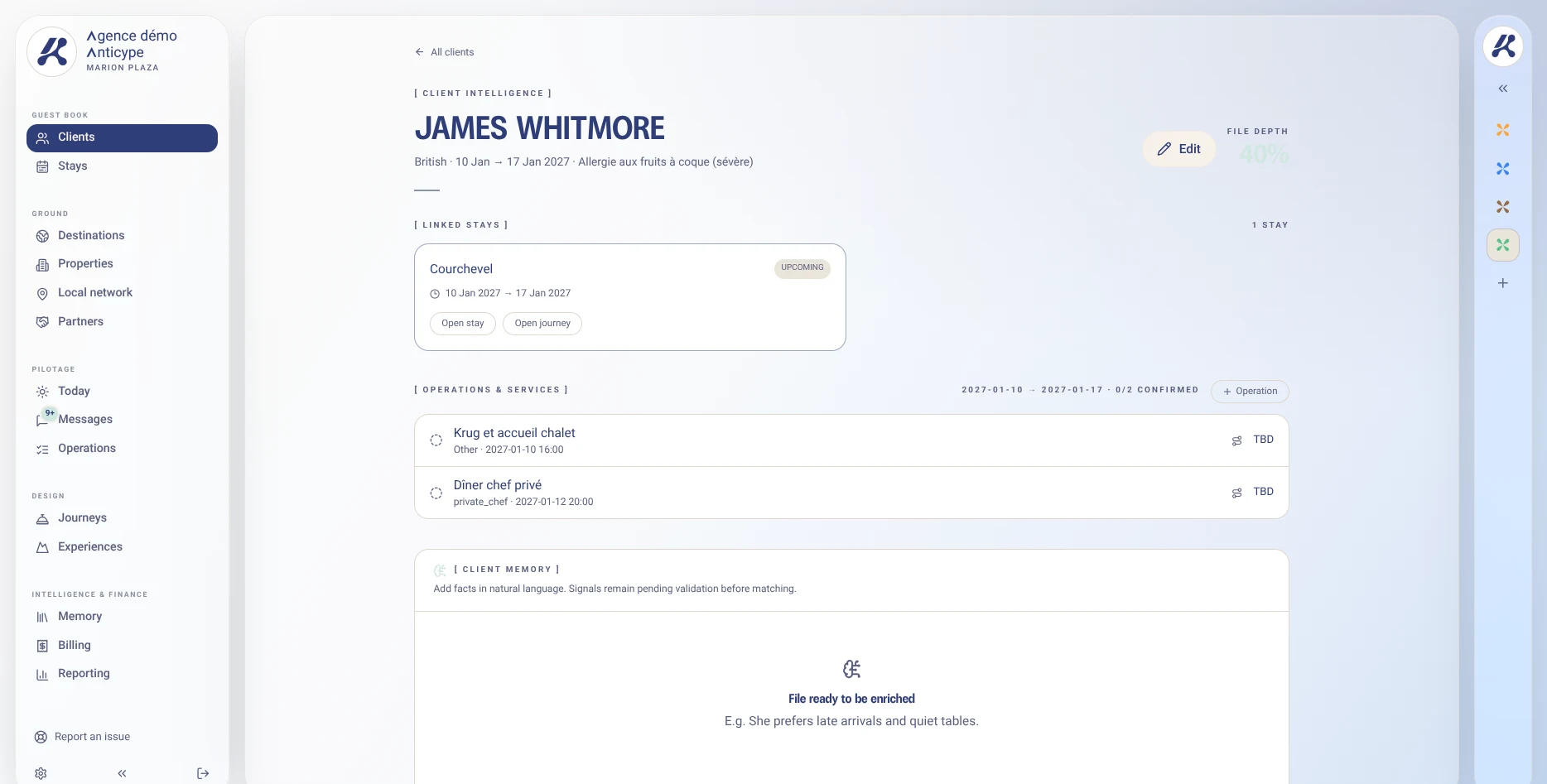
An allergy doesn’t disappear at check-out. A birthday doesn’t apply to every trip. The Cardex separates what lasts from what belongs to a single stay.
From a single detail to a complete file.
- 01
Identify
Create or find the client and their entourage before preparing the stay.
- 02
Distinguish
File each detail in the permanent memory or in the notes of the relevant stay.
- 03
Pass on
Find the context on the next trip without asking for the same information again.
A return to St Barths
Create or find the client and their entourage before preparing the stay.
Permanent preference
Seafood allergy
Three memories, three uses.
The client relationship keeps its depth without mixing lasting information with one-off circumstances.
- Permanent preferences: allergies, diet, habits, equipment and preferred comforts.
- Permanent notes: family context, welcome protocol, relationship with the personal assistant.
- Stay notes: a birthday, a special request or a temporary constraint linked to the trip.
The client, and their whole circle.
Family, personal assistant, driver or companion: context doesn’t stop at a contact card.
- Link companions to the main client.
- Find the history of past, current and upcoming stays.
- Pass useful information to the coordinator taking over.
Bring your existing memory with you.
CSV import lets you bring in an address book exported from a spreadsheet or Notion. Any ambiguous data must be clarified before it enters the Cardex.
- Keep multi-line notes in import files.
- Normalise phone numbers to international format.
- Review duplicates and ambiguous dates before validation.
The questions that matter.
Does the Cardex replace a sales CRM?
It meets a different need: coordinating the client, their entourage and their stays. It is not a general-purpose prospecting tool.
Can I import my Notion or Excel address book?
The process goes through a CSV export. Formats, duplicates and dates must be reviewed before validation; migration terms will be defined with you during the beta.
Who should validate sensitive information?
Your team remains responsible for validating it and for access rights. Before importing any sensitive data, let’s review the confidentiality framework together.
Your next stay.
One shared context.
Join the waitlist. No payment required to sign up.
Access opens progressively, in sign-up order.